








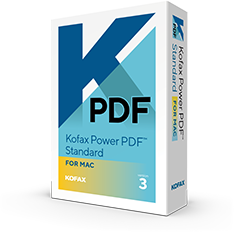

What is Power PDF Standard for Mac 2026.2?
Power PDF Standard for Mac 2026.2 is the latest professional PDF editor from Tungsten Automation, designed specifically for macOS users seeking a powerful alternative to Adobe Acrobat. The software enables users to create, edit, convert, secure, annotate, and manage PDF documents with an intuitive Mac-native experience.
The latest release introduces AI-powered productivity features, enhanced editing capabilities, improved document comparison tools, stronger security controls, and streamlined workflows for professionals and businesses.
What's New in Power PDF Standard for Mac 2026.2?
AI Copilot Integration
Secure AI-powered document summarization, content extraction, and intelligent document analysis using your preferred AI platform.
Enhanced PDF Editing
Edit text, images, graphics, layouts, and pages directly within PDF documents with greater precision and speed.
Document Comparison Tools
Compare document versions side-by-side and quickly identify additions, deletions, and modifications.
Batch Processing
Convert, secure, print, and process multiple PDF documents simultaneously for increased productivity.
Improved Viewing Experience
Enjoy tabbed viewing, reading mode, and multi-window support for better document navigation.
Enterprise Security
Protect confidential information with advanced encryption, permissions management, and compliance-focused security tools.
PDF CREATION, EDITING AND CONVERSION
An Intuitive Solution for PDF Productivity
Kofax Power PDF Standard for Mac is a powerful and intuitive tool designed for individual users to create, convert, edit and share PDF files. Power PDF Standard integrates with your unique workflow, empowering you to optimize productivity.
Focus on PDF Productivity so you can Work like Tomorrow
The features of Kofax Power PDF Standard for Mac enhance your PDF workflow which will make your work easier.
Intuitive Fillable Form creation
Easily scan paper forms and other documents to turn them into interactive PDF forms with fields, check boxes, signature fields and many more.
Effortless file conversion
PDF has its own downside. Even though you can annotate PDF documents, you can’t edit it. To do that, even Mac users will need the help of other applications. Something like PDF to Word for Mac from Kofax.
Document collaboration tools
When implemented properly, document collaboration can be a powerful tool to unite teams, save time, and maximize the full potential of an organization’s workforce.
Power PDF Support
Kofax Power PDF Standard for Mac solutions are powerful and intuitive tools designed for individual users or for enterprise deployment to create, convert, edit and share PDF files. With Kofax Power PDF solutions, you’ll work more efficiently, securely and seamlessly across any device and platform.
Deliver the most accurate versions of your documents
Power PDF Standard for Mac uses Nuance's industry-leading Omni Page OCR technology, to deliver the most accurate versions of your documents – even reproducing complex layouts with columns, tables and graphics.
Why Choose Power PDF Standard for Mac 2026.2?
One-Time Purchase :- Avoid recurring subscription fees with a perpetual software license.
Cost-Effective Adobe Acrobat Alternative :- Access professional PDF editing and security features at a lower total cost of ownership.
Built for Business and Professionals :- Ideal for legal professionals, consultants, accountants, educators, students, and enterprise teams.
System Requirements
- macOS Catalina (10.15) or later
- macOS Big Sur
- macOS Monterey
- macOS Ventura
- macOS Sonoma
- Internet connection for activation and updates
Frequently Asked Questions
-
Is Power PDF Standard for Mac 2026.2 a subscription?
=> No. It is available through a perpetual license, allowing you to own the software after purchase. -
Is Power PDF Standard for Mac 2026.2 a subscription?
=> No. It is available through a perpetual license, allowing you to own the software after purchase. -
Is Power PDF Standard for Mac 2026.2 a subscription?
=> No. It is available through a perpetual license, allowing you to own the software after purchase.